
Table of Contents
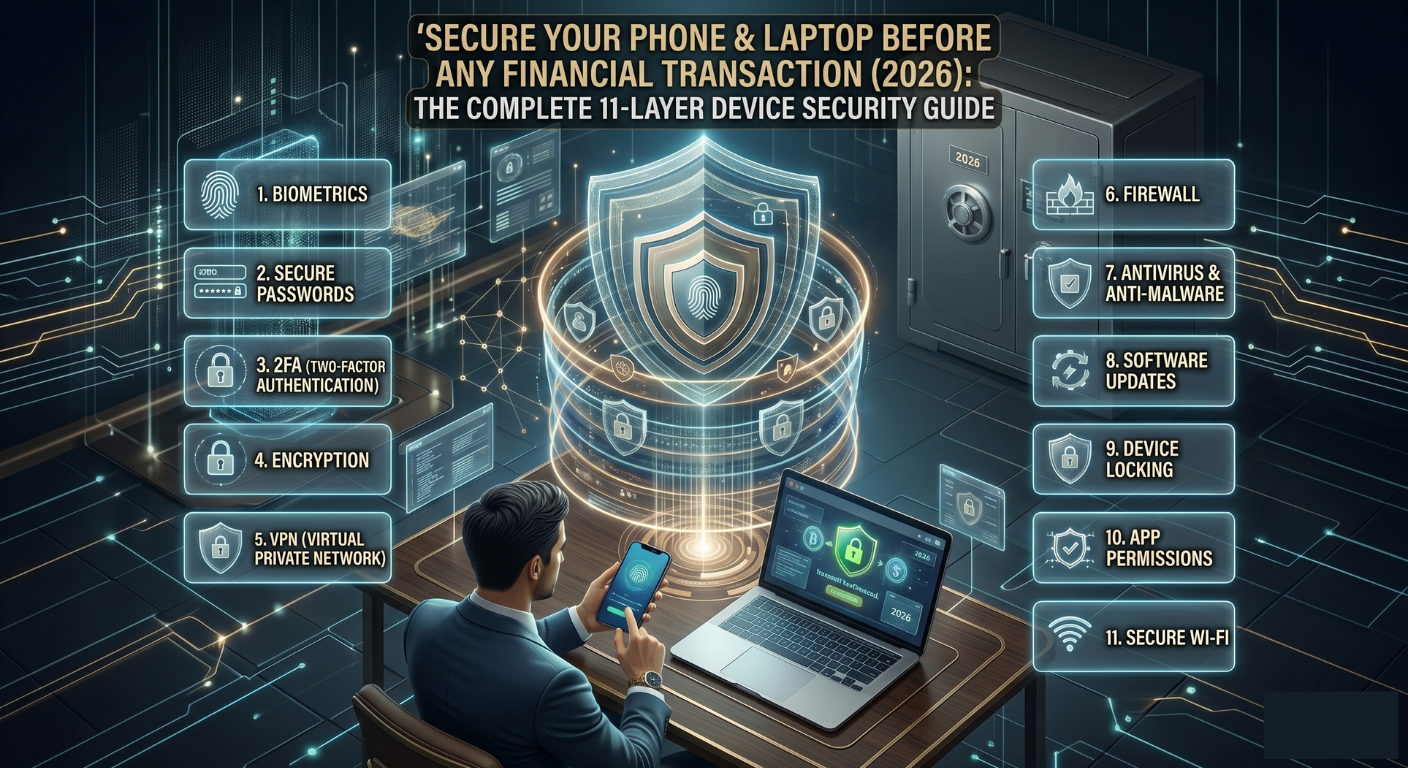
Most people think about cybersecurity the wrong way. They worry about which bank app to trust, which UPI platform is safer, whether a website has a padlock. All of that matters, but none of it matters if the device you’re using is compromised. A hacked phone or infected laptop means a scammer can see every OTP before it reaches you. They can read your UPI PIN as you type it. They can capture your net banking session in real time. Every security feature your bank has built becomes irrelevant when the device itself is the weak link. This guide gives you eleven concrete layers to lock down your phone and laptop before you do any financial transaction, plus a master checklist to run through every month. Whether you’re in Mumbai or Manchester, these habits are your first and most important line of defence.
treat your phone and laptop as financial devices, not entertainment gadgets. The moment you adopt this mindset, your entire security posture changes automatically.
The Core Principle
11 Layers
Working together — the device is the foundation everything rests on
30 Seconds
Auto-lock window every financial device should use
Days, Not Months
How fast zero-day vulnerabilities get exploited once known
1 Device Hygiene — The Non-Negotiable Foundation
Everything else in this guide builds on this layer. A device with an outdated OS, unofficial apps, or a disabled screen lock is permanently vulnerable — no other security measure compensates for it.
| 📱 Android | 🍎 iPhone / iOS | 💻 Both Platforms |
|---|---|---|
| Settings → System → Software Update | Settings → General → Software Update | Enable auto-updates — never skip them |
| Google Play Protect enabled | App Store auto-downloads turned on | Updates patch zero-day vulnerabilities in days, not months |
| Avoid rooting — disables core security | Avoid jailbreaking — voids Apple security | Rooted/jailbroken = all banking apps at risk |
| Essential Device Settings to Enable Today |
|---|
| • Screen lock with PIN + biometrics (fingerprint or Face ID) — minimum 6-digit PIN, never 4-digit • Automatic lock after 30 seconds of inactivity • Bluetooth and NFC off when not actively in use — both are remote attack vectors • Hotspot off when not sharing — an open hotspot exposes your internet traffic • ‘Install apps from unknown sources’ disabled — this is how most Android malware enters • Find My Device enabled (Android: Google Find My Device; iOS: Find My iPhone; Windows: Find My Device in Settings) |
fraudsters actively exploit unpatched OS vulnerabilities within days of discovery. In 2025, multiple zero-day Android and iOS exploits were used to intercept UPI OTPs on unupdated devices. Update immediately, always.
Why Updates Matter
2 Network Safety — Secure the Pipe Before the Transaction
Your device could be perfectly secure, but if the network it connects through is compromised, your data is exposed in transit. Public Wi-Fi is the single biggest network threat for Indian consumers and NRIs.
A café’s Wi-Fi, an airport network, a hotel internet connection — any of these can be set up by an attacker in minutes to intercept your traffic. When you do banking over public Wi-Fi, your session data, OTPs, and credentials can be captured in real time through a ‘Man in the Middle’ attack.
| ✔ Do This | ✗ Never Do This |
|---|---|
| ✔ Use mobile data for all banking & UPI transactions | ✗ Use public Wi-Fi for banking, UPI, or trading |
| ✔ Use home Wi-Fi with WPA3 or WPA2 encryption | ✗ Use open (password-free) Wi-Fi networks for financial activity |
| ✔ Change router password every 90 days | ✗ Use your ISP’s default router password |
| ✔ Disable WPS on your router (a known attack vector) | ✗ Leave WPS enabled — it can be cracked in minutes |
| ✔ Use a paid, trusted VPN if you must use public Wi-Fi | ✗ Use free VPNs — many sell your traffic data |
free VPNs frequently monetise your data by selling your browsing history and financial activity to advertisers. Only use paid, audited VPN providers (ProtonVPN, ExpressVPN, NordVPN), and even then, not as a replacement for mobile data.
VPN Warning
3 Browser & App Security on Phone and Laptop
The gap between using an official banking app and logging in via a browser is significant from a security standpoint. Apps have sandboxed environments with additional protections. Browsers are shared, extension-loaded environments that introduce far more attack surface.
| Official Apps vs. Browser — Choose Apps Where You Can |
|---|
| • Use HDFC, SBI YONO, PhonePe, GPay, Zerodha Kite apps rather than their browser versions for daily transactions • Apps are harder to spoof, have built-in certificate pinning, and don’t share session data with browser history • If you must use a browser, use only one dedicated browser for financial activity — keep it clean |
| Browser Hardening Checklist |
|---|
| • Enable HTTPS-Only Mode in Chrome/Firefox — blocks any attempt to load a financial site over HTTP • Clear cookies and cache weekly — prevents session hijacking from stale cookies • Disable or remove browser extensions you don’t actively use — extensions can read page content including card numbers • Use a separate browser profile for banking (e.g., a dedicated Chrome profile) — isolated from general browsing cookies • Keep Chrome, Edge, Firefox, or Safari on auto-update — browser zero-days are exploited within 48 hours of discovery |
a malicious browser extension can silently read every character you type, including card numbers, UPI PINs, and net banking passwords. Audit your extensions today. Remove anything you didn’t deliberately install.
Browser Extensions Warning
4 Authentication — Strengthen Every Entry Gate
A weak password on your email or banking app is more dangerous than a weak padlock on your front door. Fraudsters use automated credential stuffing tools that test millions of password combinations per second. Length and uniqueness are your only real defence.
| Password Rules That Actually Work |
|---|
| • Use a unique password for every financial account — reusing passwords means one breach exposes everything • Minimum 12 characters — mix upper/lowercase, numbers, and symbols • Never use: name + birth year, phone number, ‘India@123’, or any variation of ‘password’ • Store passwords in a trusted password manager (Bitwarden — free and open source; 1Password; Dashlane) • Never store passwords in Notes, WhatsApp Saved Messages, email drafts, or an unencrypted spreadsheet |
Two-factor authentication adds a critical second layer. But SMS OTP, the most common form in India, is now vulnerable to SIM swap fraud. Upgrade wherever possible.
| 2FA — And Why SMS OTP Is No Longer Enough |
|---|
| • Use an authenticator app (Google Authenticator, Microsoft Authenticator, or Authy) for email, trading accounts, and crypto • SMS OTP is better than nothing, but be aware that SIM swap fraud bypasses it completely • For high-value financial accounts, check if your bank or broker supports authenticator app 2FA and enable it • Store 2FA backup codes printed on paper in a physically secure location — not in photos or cloud |
your email is the master key to all your accounts. If your email is compromised, every ‘Forgot Password’ link goes to the attacker. Secure your email first and most aggressively.
Critical Habit
5 App Permissions & Privacy Controls — Monthly Audit
Every app permission is a potential data channel to the app developer, and potentially to third parties or attackers. Apps you installed months ago and forgot about may still be silently accessing your microphone, location, and contacts.
| The Monthly Permission Audit |
|---|
| • Android: Settings → Privacy → Permission Manager — review each category • iOS: Settings → Privacy & Security — review each category • Revoke microphone access from any app that doesn’t need it for its core function • Revoke camera access from financial, shopping, and utility apps • Revoke location access from apps you don’t need to locate — or set to ‘While Using’ instead of ‘Always’ • Uninstall any app you haven’t opened in 30 days — dormant apps are a needless risk |
| Laptop-Specific Privacy Controls |
|---|
| • Cover your webcam physically with a slider or tape when not in video calls — malware can activate it silently • Windows: Settings → Privacy → Microphone — restrict access to only apps that need it • macOS: System Settings → Privacy & Security → Microphone/Camera — audit monthly • Disable lock screen notification previews on phone — prevents shoulder surfing of OTPs in public |
many shopping and social media apps request ‘read SMS’ permission on Android. This lets them read your banking OTPs. Check this permission specifically, and revoke it from every non-banking app that has it.
Overlooked Risk
6 Malware & Spyware Protection — Active Defence
Malware on an Indian smartphone or laptop typically arrives through three routes: APK files shared on WhatsApp, cracked software downloaded from torrent sites, and fake apps from unofficial sources. Once installed, financial malware can operate silently for months before victims notice money is gone.
Recommended antivirus options for India include Quick Heal Total Security, Bitdefender Total Security, Kaspersky Standard, and Norton 360.
| Active Defence Habits |
|---|
| • Enable real-time protection — don’t just install antivirus and forget it, ensure it’s actively running • Run a full malware scan weekly — schedule it for a time when you’re not using the device • Never install APK files shared on WhatsApp, Telegram, or email — no exceptions • Never use cracked software or pirated apps — 90% of cracked Windows software carries embedded malware • Windows: enable Windows Defender + SmartScreen — built-in, free, and effective • macOS: ensure Gatekeeper is active (System Settings → Privacy & Security → App Store and identified developers) • Android: keep Google Play Protect scanning enabled (Play Store → Profile → Play Protect) |
a fraudster sends you an ‘exclusive offer’ or ‘bank app update’ as an APK on WhatsApp. You install it. It looks exactly like your bank’s app, but every PIN you enter goes directly to the scammer. Never install APKs.
The APK Trap
7 Securing Your Financial Apps Specifically
Your banking, UPI, and trading apps need an additional layer of protection beyond your phone’s general security. Think of it as a vault inside a locked house — both layers matter independently.
| App-Level Security Settings |
|---|
| • Enable App Lock with biometrics (fingerprint/Face ID) on every banking, UPI, and trading app — separate from your phone’s lock • Disable autofill for card numbers, UPI IDs, and passwords inside banking apps — autofill data can be stolen • Turn off international transactions on your cards via the banking app — re-enable only when you travel abroad • Set a low daily online transaction limit (₹5,000–₹10,000 for daily use) — increase only for specific large transactions • Enable both SMS and email alerts for every transaction — dual-channel alerts catch fraud faster • Review the list of logged-in devices on your banking app monthly — revoke any unfamiliar sessions |
Transaction limit strategy:
| ✔ Do This | ✗ Never Do This |
|---|---|
| ✔ Set low daily online limit (₹5,000–₹10,000) | ✗ Leave your limit at the bank’s default maximum |
| ✔ Increase limit temporarily for large transactions | ✗ Keep high limit permanently ‘just in case’ |
| ✔ Enable both SMS and app push notifications | ✗ Rely on just one alert channel |
| ✔ Review active sessions monthly in banking app | ✗ Leave old device sessions active after changing phones |
log into your banking app right now and check your daily online transaction limit. If it’s set to the maximum, reduce it to ₹10,000. This single change limits the damage any fraud can do before you catch it.
Quick Win
8 Protect Against Remote Access Fraud
Remote access fraud is among the most financially devastating scam categories in India. A fraudster calls posing as a bank agent, IT support, or TRAI officer, and convinces you to install a screen-sharing app. Within minutes, they can see your OTPs, UPI PIN, and net banking credentials in real time. And once they have access, they drain accounts at speed.
| Apps Fraudsters Ask You to Install |
|---|
| • AnyDesk — most commonly abused in India for banking fraud • TeamViewer — requested in ‘technical support’ scams • Zoho Assist and QuickSupport — used in fake IT helpdesk scams • ‘Your Bank’s Screen Sharing App’ — this does not exist. No bank has one. |
| The Absolute Rules |
|---|
| • No bank, UPI app, NPCI, RBI, TRAI, or government agency will ever ask you to install a screen-sharing app, ever • No legitimate IT support for a banking issue is done remotely by sharing your screen • If you are asked to share your screen for any banking-related reason, end the call immediately and call your bank’s official helpline • Android: Settings → Developer Options — disable completely (enabled Developer Options is a risk) • Windows: Settings → System → Remote Desktop — turn off unless you specifically use it for work • macOS: System Settings → Sharing → Remote Management and Screen Sharing — turn both off |
uninstall it immediately, revoke all its permissions, restart your device, change your UPI PIN and net banking password from a different device, and call your bank to check for unauthorised transactions.
If You Already Installed a Remote App
9 Email & Messaging Safety
Phishing through email and messaging apps remains the #1 way Indian consumers are tricked into compromising their credentials. The messages have become indistinguishable from genuine bank communications — same logos, same formatting, same urgency.
| Classic Phishing Triggers — Never Click These |
|---|
| • “Your KYC is expiring today — update now” (banks send KYC reminders through official channels only) • “Your account will be blocked in 24 hours” (banks block accounts through a formal process, not SMS threats) • “Update your PAN/Aadhaar immediately” (never via a link in a message) • “Your UPI registration has failed — click to restore” (UPI never fails like this) • “Congratulations — you have won ₹50,000. Claim now” (no legitimate prize requires clicking a link) |
| Email Verification Habits |
|---|
| • Check the sender’s full email domain, not just the display name. ‘SBI Bank’ as the display name means nothing; check that the address ends in @sbi.co.in • Hover over any link before clicking — the URL shown in the status bar should match the legitimate site • When in doubt, go directly to the official website by typing the address, never through email links • Enable spam filters and phishing protection in Gmail (Settings → Security → Enhanced Safe Browsing) |
your bank will never send you a link to update KYC, Aadhaar, or PAN via SMS or WhatsApp. If you receive such a message, assume it is fraud and report it to your bank’s official helpline directly.
Real Bank Communication
10 Backup & Recovery Readiness
Security isn’t just about preventing breaches, it’s about being able to recover when something goes wrong. A lost phone without a backup, or a locked account without a recovery code, can cut you off from your financial life at the worst possible moment.
| Essential Backup Steps |
|---|
| • Enable encrypted cloud backup (iCloud for iOS, Google One for Android, OneDrive for Windows) — encrypted means even the provider can’t read your data • Store 2FA authenticator recovery codes printed on paper in a physically secure location — if you lose your phone without these codes, you may be permanently locked out of financial accounts • Maintain a secondary recovery email that you check regularly, secured with a different strong password • Enable Find My Device on all devices — allows remote wipe if a device is stolen |
| If Your Device Is Lost or Stolen |
|---|
| • Remotely lock or wipe it immediately (Android: myaccount.google.com/find-your-phone; iOS: icloud.com/find) • Contact your carrier to block the SIM card • Change passwords for banking, email, and UPI from another device • Call your bank to temporarily freeze accounts until you have a new device secured |
many Indians lose access to UPI, net banking, and trading accounts after switching phones because they never backed up their 2FA recovery codes. Spend 10 minutes now storing them somewhere safe — it’s worth it.
Recovery Code Reality
11 Special Steps for NRIs — Device Security From Abroad
NRIs face a unique challenge: managing Indian financial accounts from devices abroad, often on foreign networks, with an Indian SIM that’s intermittently active. Each of these variables creates additional risk that requires specific habits.
| OTP & SIM Management |
|---|
| • Keep your Indian SIM on international roaming — this ensures OTPs reach you even when you’re abroad • Use VoWiFi (Wi-Fi calling) to receive OTPs when data roaming is unavailable — most major Indian carriers support it • If your Indian SIM is inactive, enable call forwarding to a WhatsApp Business number or virtual Indian number for OTP delivery |
| Banking While Overseas |
|---|
| • Prefer official Indian banking apps over browser logins when accessing accounts from abroad — apps are more resistant to local network attacks • Never access Indian net banking on hotel, café, or airport Wi-Fi — use mobile data or a trusted paid VPN • Set geographic transaction restrictions via your bank’s app — block domestic Indian debit card usage if you’re abroad • Inform your bank of your travel dates — many banks flag overseas login attempts as suspicious and may lock your account |
| Device Precautions When Returning to India |
|---|
| • Don’t charge your phone via public USB ports in airports or stations — use your own charger and a power bank • Be cautious of ‘phone charging services’ that require unlocking — these can install malware in seconds • Run a malware scan when you return from travel — hotels and public networks are common infection vectors |
your Indian financial accounts are most vulnerable when your Indian SIM is inactive and you’re relying on email for OTPs. The combination of an inactive SIM and an unsecured email is the #1 entry point for NRI financial fraud.
NRI Priority
Monthly Device Security Checklist
Run through this every month, or any time you get a new device, change networks, or suspect something is wrong. Print it and keep it somewhere accessible.
| Device & Network | Apps & Accounts |
|---|---|
| ☐ OS and all apps updated | ☐ All financial apps have App Lock enabled |
| ☐ Screen lock + biometrics active | ☐ 2FA enabled on banking, email & trading |
| ☐ Bluetooth and NFC off when idle | ☐ No unused apps installed (30-day rule) |
| ☐ Router password changed (quarterly) | ☐ App permissions audited — SMS access revoked |
| ☐ Malware scan completed this week | ☐ Transaction limits set low on all cards |
| ☐ Remote access apps not installed | ☐ Active device sessions reviewed in banking app |
| ☐ 2FA recovery codes stored securely | ☐ No passwords saved in notes or email |
| ☐ Find My Device enabled on all devices | ☐ NRIs: Indian SIM active and monitored |
If Your Device Is Compromised, Every Safeguard Collapses. UPI, net banking, trading accounts, remittances — all of it becomes accessible to an attacker if your device is the weak link. Securing your phone and laptop isn’t optional in 2026. It’s the foundation everything else rests on. Share this guide with your family, especially those who use mobile banking but don’t think about device security.
Quick Reference: Key Portals and Helplines
| Item | Where to Go |
|---|---|
| Cyber Crime Helpline | 1930 — 24×7 |
| Report fraud online | cybercrime.gov.in — National Cyber Crime Reporting Portal |
| Find My Device (Android) | myaccount.google.com/find-your-phone |
| Find My iPhone (iOS) | icloud.com/find |
| Recommended password managers | Bitwarden (free, open source), 1Password, Dashlane |
| Recommended authenticator apps | Google Authenticator, Microsoft Authenticator, Authy |
| Recommended antivirus (India) | Quick Heal Total Security, Bitdefender, Kaspersky, Norton 360 |
| Recommended VPNs (paid only) | ProtonVPN, ExpressVPN, NordVPN |
every banking security feature your bank has built becomes irrelevant the moment your device itself is compromised. The eleven layers in this guide work together as a single system, not eleven separate options: device hygiene and updates close known vulnerabilities before they’re exploited; secure networks prevent interception in transit; hardened browsers and official apps reduce your attack surface; strong, unique passwords plus authenticator-based 2FA replace vulnerable SMS OTP; monthly permission audits stop apps from silently accessing your SMS and microphone; active malware protection catches what slips through; app-level locks and low transaction limits contain the damage even if something goes wrong; refusing remote access requests closes the single most devastating fraud vector in India; recognising phishing triggers stops credential theft at the source; backup and recovery readiness means a lost device doesn’t become a locked-out financial life; and for NRIs, an active, monitored Indian SIM paired with a secured email closes the gap that fraudsters specifically target. Adopt the core principle — treat your phone and laptop as financial devices, not entertainment gadgets — and every other habit in this guide follows naturally.