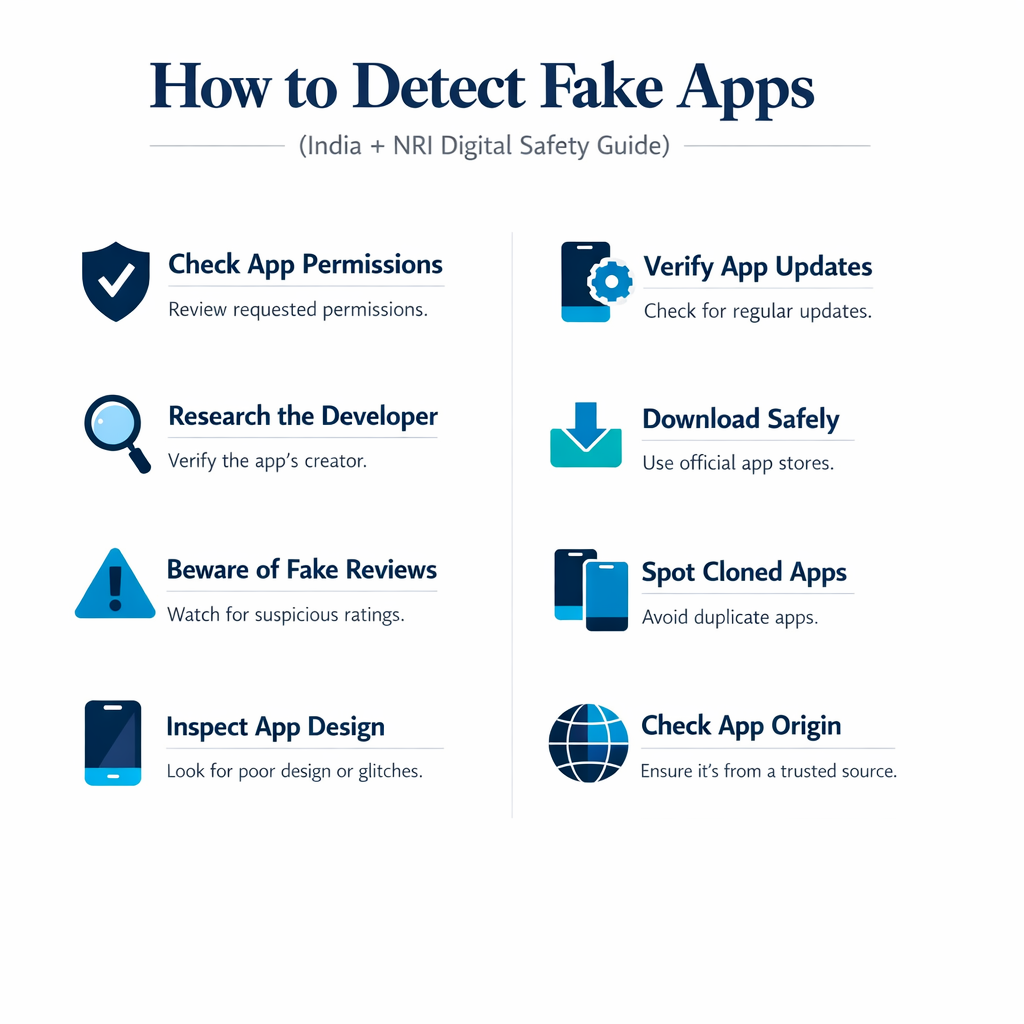
CyberSafe India | How to Detect Fake Apps — Digital Safety Guide 2026
Reading Time 11 min
CYBERSECURITY AWARENESS GUIDE
Your bank app, UPI wallet, trading platform — scammers have cloned all of them. Fake apps have become one of the most dangerous cybercrime tools in India today, tricking millions of users into voluntarily handing over their OTPs, passwords, Aadhaar details, and even full remote access to their phones.
The terrifying part? These fake apps look almost identical to the real ones. A slightly different developer name. A download count in the thousands instead of millions. That\’s all that separates you from losing your savings.
This guide gives you 10 foolproof checks to run before installing any financial, government, or UPI app — plus a quick-fire detection checklist at the end.
1. Verify the Developer Name — The #1 Indicator
The developer name is the single most reliable way to spot a fake app. Scammers go to great lengths to mimic branding, but they can\’t fake the official developer identity registered on the app store.
• Generic names like \’Tech Solutions Pvt Ltd\’ or \’FinanceApp India\’
• Names that sound similar but aren\’t exact matches
Rule: If the developer name doesn\’t exactly match the official company, don\’t install it — no exceptions.
2. Check the Download Count
Every legitimate financial app in India has massive user adoption. Your bank app should have millions of installs. A \’banking app\’ with 5,000 downloads is a dead giveaway.
• Published recently with no long-term update history
• Claimed to be \’official\’ but with suspiciously low install counts
Instant Red Flag: Low download count + financial category = do not install under any circumstances.
3. Read Reviews — But Ignore the Star Rating
Scammers buy fake 5-star reviews in bulk, so a 4.8-star rating means nothing on its own. What matters is reading what actual users say — and spotting the telltale signs of manufactured reviews.
Signs of Fake Reviews
• Repeated phrases across multiple reviews (\’Great app! Very useful!\’)
• Poor grammar and vague, generic praise
• Dozens of reviews posted on the exact same day
• No reviewer profile photos or history
What to Look for Instead
• Complaints mentioning \’OTP stolen\’, \’money deducted\’, \’asks too many permissions\’
• Specific feature mentions that show genuine use
• Reviews spread across months and years, not clustered
Pro Tip: Sort reviews by \’Most recent\’ and look for any fraud complaints. Even one complaint about money loss is enough reason to walk away.
4. Check App Permissions Before Installing
This is where fake apps reveal their true purpose. Every permission a fake app requests is a doorway into your financial life. A courier tracking app doesn\’t need to read your SMS. A recipe app doesn\’t need accessibility services.
Permissions That Should Alarm You
• SMS access — used to silently read OTPs
• Accessibility services — gives the app control over your entire phone
• Screen recording — captures banking screens and PINs
• Contact list — harvested for social engineering
• Call logs — monitored to understand your behaviour
• Full file storage access — to steal saved photos of Aadhaar/PAN
• Government scheme app requesting accessibility services? Fake.
Golden Rule: If permissions look excessive for what the app does, uninstall immediately and report it.
5. Inspect the App Icon & Screenshots
Design quality is a reliable indicator. Legitimate companies invest heavily in polished, consistent branding. Fake app developers copy logos hastily — and the quality shows.
What to Look For
• Blurry or pixelated logos that look compressed
• Wrong shade of brand colours (HDFC maroon vs. generic red)
• Outdated UI that doesn\’t match the current official app
• Screenshots with spelling errors or poor English
• Generic stock images used instead of actual app screens
Quick Check: Open the official brand website on your browser and compare the logo with what\’s shown in the app store listing. Even a slight colour difference is a warning sign.
6. Check Publish Date & Update History
SBI, HDFC, PhonePe — these apps have existed for years and receive regular updates. A fake \’SBI YONO\’ app published three months ago with zero update history is clearly fraudulent.
What Legitimate Apps Show
• Multi-year publish history (2018, 2019, or earlier for major apps)
• Regular version updates with meaningful changelogs
• Consistent update cadence — monthly or quarterly for active apps
Fake App Patterns
• Published within the last 2–6 months
• Only one or two updates since launch
• Vague changelogs like \’Bug fixes and improvements\’ from day one
Instant Red Flag: A \’banking app\’ or \’government app\’ published in the last 90 days is almost certainly fake.
7. Never Install Apps from Links
This is the most common entry point for fake app fraud. Scammers send APK files or Play Store links through WhatsApp, Telegram, SMS, and fake customer care chats — often with a sense of urgency (\’Install now to complete your KYC\’).
Common Link-Based Attack Channels
• WhatsApp forwards from unknown numbers
• Telegram groups posing as official support channels
• SMS from spoofed bank numbers with \’Update your app\’ links
• Emails impersonating NPCI, RBI, or your bank
• Fake customer care representatives sharing APK links
Golden Rule: Install apps only from the official Google Play Store or Apple App Store — never from a forwarded link, no matter who sent it.
8. Search the App Name Manually in the Store
If someone sends you a link to \’Kotak Bank App\’ or \’PM Kisan App\’, don\’t click it. Go directly to the Play Store or App Store and search for the app yourself. This one habit prevents the vast majority of fake app installations.
The Safe Search Process
• Open the official Play Store or App Store on your device
• Type the app name manually — don\’t paste from a message
• Confirm the developer name matches the official company exactly
• Verify the download count is in the millions for major apps
• Only then, install
Single Best Habit: This one step — searching manually instead of clicking links — protects you from almost all fake app fraud.
9. Watch Out for \’Similar Apps\’ Clone Traps
Fake apps frequently appear in the \’You might also like\’ or \’Similar apps\’ sections right below the real app. They use the same icon, a near-identical name, and identical branding — hoping you accidentally download the wrong one.
How to Avoid the Clone Trap
• After finding the app you want, scroll up — not down into suggestions
• Verify the developer name on the page you\’re actually installing from
• If you see multiple versions of the same app, only install the one with verified developer + highest installs
• Never tap \’Install\’ on the suggestions carousel without checking the developer
Remember: There is only one real app. Every other version with a similar name is a trap.
10. For NRIs: Beware India-Specific App Scams
Non-resident Indians are disproportionately targeted because they urgently need access to Indian banking, government, and UPI services while abroad — and they\’re often less familiar with India\’s evolving digital ecosystem.
• Fake PAN card apps offering \’quick online linking\’
• Fake NRI banking apps (HDFC NRI, SBI NRI) with no official existence
• Fake trading apps impersonating Zerodha, Upstox, ICICI Direct
• Fake UPI apps claiming \’international UPI support from abroad\’
Critical Facts for NRIs
• No Indian bank or UPI app requires APK installation from outside the store
• No legitimate government app asks for a passport scan via an app
• No RBI-approved app requests remote access or screen sharing
NRI Safety Rule: If an \’India service\’ app isn\’t available on the official store in your country, it doesn\’t exist. Don\’t install APKs.
10-Second Fake App Detection Checklist
Run through this before installing any financial, government, or UPI app. If even one check fails — don\’t install.
#
What to Check
1
☐ Developer name exactly matches the official company name
2
☐ Download count is in the millions for major apps
3
☐ Reviews look genuine — diverse, detailed, spread over time
4
☐ No suspicious permissions (SMS, accessibility, screen recording)
5
☐ App icon and screenshots look professional and brand-consistent
6
☐ App was published years ago, not in the last few months
7
☐ You found it by searching the store — not from a link or WhatsApp
8
☐ No urgency or pressure from whoever shared the app
9
☐ Not in \’Similar Apps\’ — you\’re on the official app\’s page
10
☐ NRIs: app is available on your country\’s official store
If Even ONE Check Fails — Don\’t Install. No legitimate app will lose your business because you took 30 seconds to verify it. Scammers count on you being in a hurry.
Share This Guide. Save Someone\’s Savings.Your elderly parents or relatives abroad are the most vulnerable targets for fake app fraud. Forward this guide to your family group — it takes 10 seconds and could prevent a lifetime of regret.