Fake payment links are the fastest-growing digital scam in India. They load quickly, mimic official pages convincingly, and reach you through channels you trust — SMS, WhatsApp, even Google search results. The technology behind them is simple. What makes them effective is that they exploit a single moment of inattention.
This guide covers the seven warning signs that expose every fake link, a breakdown of what fraudulent pages ask for and why, where these links come from, and a 10-second checklist you can run before clicking anything.
URL Warning Signs — The Number One Giveaway
The URL is the single most reliable indicator of a fake payment page. Every fraudulent link deviates from the official domain in at least one way — a misspelling, an extra word, a wrong top-level domain, or a long suspicious subdomain. The table below shows the most common patterns used in India.
Fake URL Pattern
Real Example of Fraud URL
What the Real Domain Looks Like
Misspelled brand name
paytم.in / phonepe-support.com
paytm.com / phonepe.com
Extra words added
gpayhelp.net / icicibanksecurepay.com
pay.google.com / icicibank.com
Fake refund / support subdomain
paytmrefunddesk.in / sbirefund.co.in
paytm.com / sbi.co.in
Wrong top-level domain (.net / .co)
hdfcbank.net / axisbank.co
hdfcbank.com / axisbank.com
Numbers substituted for letters
amaz0n.in / fl1pkart.com
amazon.in / flipkart.com
Hyphenated brand names
razorpay-payment.com / upi-verify.in
razorpay.com / npci.org.in
Long random subdomain
secure.pay-verify-hdfc-login.com
netbanking.hdfcbank.com
✔ Pro Tip: Before entering any payment or personal details, look at the URL bar carefully. The official domain for any Indian bank or payment platform is short, clean, and matches exactly what is printed on their official website or app.If you are unsure whether a URL is legitimate, close the page and navigate directly to the official website by typing it yourself.
What Fake Pages Ask For — and Why It’s Always a Scam
Legitimate payment gateways in India have a narrow, well-defined set of inputs: your card number at checkout, and an OTP on your bank’s own 3D Secure page. That is the complete list. Any page that asks for anything beyond this is either fraudulent or dangerously misconfigured.
What the Fake Page Asks For
Why It’s Always a Scam
What Legitimate Pages Ask For
UPI PIN
UPI PIN authorises money leaving your account. It is never needed to receive money or verify identity.
Nothing. You receive money by sharing your UPI ID only.
OTP for “verification”
An OTP authorises a transaction. Entering it on a fake page completes a payment you never intended.
OTP is entered only on your bank’s own 3D Secure page, never on a merchant page.
Full card number + CVV + expiry
Together these three fields are sufficient to make an online purchase anywhere in the world.
Payment pages take card number at checkout. CVV is never stored or re-requested by legitimate sites.
Net banking username and password
These credentials give full access to your account — balance, transfers, everything.
You log in to your bank’s own app or website. No payment link should ever ask for these.
Small “verification fee” of ₹1–10
A real payment to verify your account. Once you approve, larger collect requests follow.
No legitimate company charges a fee to verify your account, process a refund, or update KYC.
Aadhaar or PAN number
Used for identity theft, SIM-swap attacks, and fraudulent loan applications in your name.
Identity verification is completed through your bank’s official KYC process, not a payment link.
⚠ Important Note: A payment page that asks for your UPI PIN, OTP, and card CVV on the same screen is always a fraud page. Legitimate payment flows never combine these inputs. The 3D Secure OTP page is hosted by your bank, appears after you have already submitted card details on the merchant site, and only asks for the OTP — nothing else.
Seven Warning Signs — How to Spot a Fake Link Instantly
Any one of the following signs is sufficient reason to stop and verify before proceeding. You do not need multiple red flags. A single one is enough.
#
Warning Sign
What It Looks Like in Practice
1
URL does not match the official domain exactly
Any variation in spelling, punctuation, subdomain, or top-level domain is a different website. One wrong character is enough.
2
You were not expecting this payment or request
Genuine payments arrive after you initiated a purchase. Unsolicited payment requests — for refunds, KYC, delivery, verification — are almost always fraud.
3
The page asks for your UPI PIN or OTP to “receive” money
Receiving money requires zero action from you. If a page asks for your PIN or OTP to credit your account, it is charging your account, not crediting it.
4
The amount shown is a payment, not a receipt
If you expected to receive ₹500 and the page shows “Pay ₹500,” you are looking at a fraud link disguised as a receipt confirmation.
5
Extreme urgency or countdown timers
“Your refund expires in 4 minutes.” “Account blocked in 10 minutes.” Legitimate financial processes have no countdown. Urgency is manufactured to prevent you from thinking.
6
Fake payment confirmation screenshots
A fraudster sends a doctored screenshot showing “Payment Successful” and asks you to “verify” or “release goods” via a link. Always verify inside your own UPI app, never through a link.
7
Link arrived via WhatsApp, SMS, or unknown number
Genuine payment links come from verified platforms at checkout. If a payment link arrives unsolicited via WhatsApp or SMS from an unknown number, treat it as fraud by default.
⚠ Important Note: Warning sign 6 — the fake payment confirmation screenshot — deserves particular attention. It is the most effective technique used in OLX, Facebook Marketplace, and peer-to-peer sale fraud across India. A buyer sends a screenshot showing payment completed and asks you to “confirm receipt” via a link. The link charges you. Always verify incoming payments inside your own UPI app or bank app. A screenshot proves nothing.
Where Fake Links Come From — Five Active Distribution Channels
Understanding where fraudulent payment links originate helps you apply the right level of scepticism to each channel. The same link sent via two different channels carries very different risk profiles.
Where Fake Links Come From
How to Identify the Source as Fake
Safe Alternative
WhatsApp from unknown numbers
No legitimate bank or payment company sends payment links via WhatsApp from personal numbers.
Open your bank app directly. Never pay via a WhatsApp link.
Fake customer care numbers on Google
Fraudsters pay to place fake helpline numbers in Google search results for bank names.
Find helpline numbers only from your bank’s official app or the back of your card.
SMS pretending to be your bank or NPCI
Check the sender ID. Banks use registered short codes — not personal mobile numbers.
Banks never send payment links via SMS. Ignore and delete.
Social media — fake brand accounts
Fake accounts with near-identical names reply to complaints with “help” links.
Verify the account is officially verified. Go directly to the official website instead.
Fake e-commerce seller or OLX buyer
A fake buyer sends a “payment link” to “send” you money for goods. The link charges you.
As a seller you never need to enter a PIN or click a link. Your UPI ID is sufficient.
✔ Pro Tip: If you are selling something online and a “buyer” sends you a payment link to “send” your payment, that link is almost certainly a fraud attempt.As a seller you receive money by sharing your UPI ID or QR code. You never need to click a link, enter a PIN, or approve a request to receive a payment.The moment a buyer sends you a link and asks you to “confirm your account,” end the transaction.
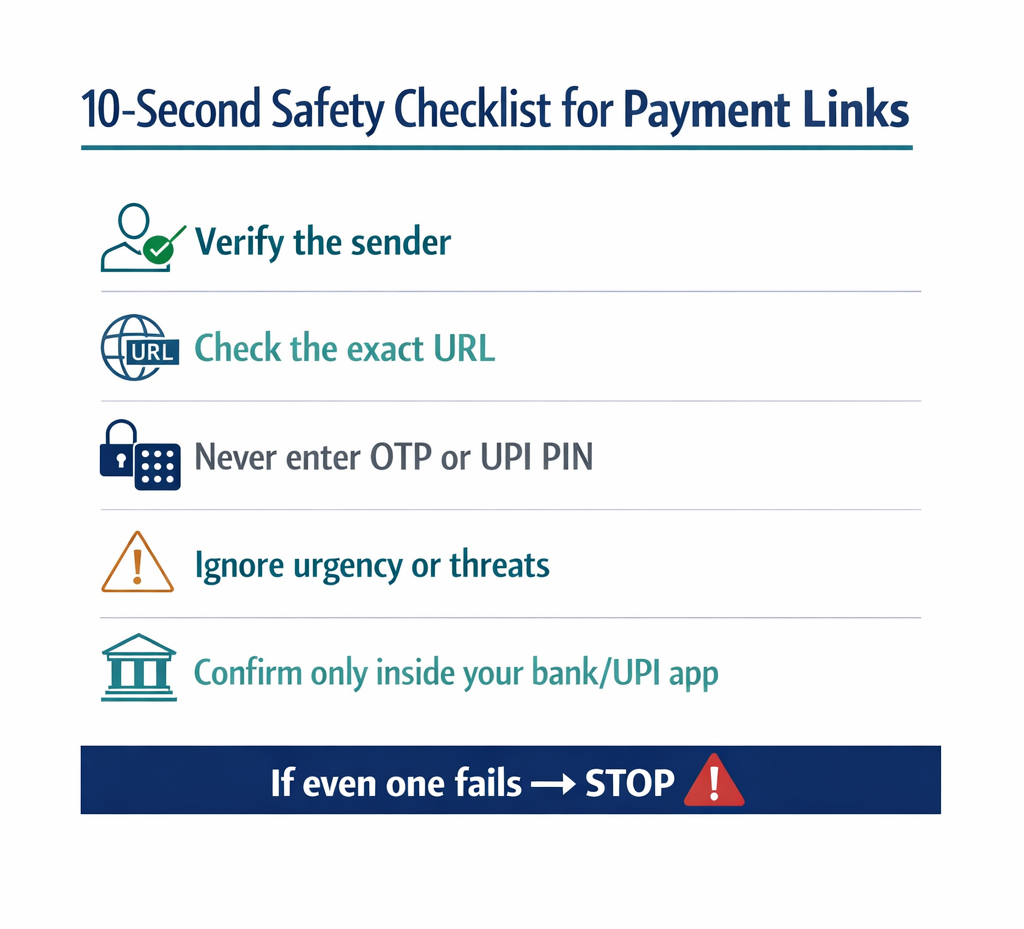
The 10-Second Checklist — Before You Click Any Payment Link
Run through these six questions before acting on any payment link. The entire check takes under 10 seconds. If any answer triggers the response in the right column, follow that response — without exception.
Ask Yourself
If the Answer Is…
Do I know the sender of this link personally or from a verified platform?
“No” or “I’m not sure” → Do not click. Verify directly with the sender through a known channel.
Does the URL match the official domain exactly, character by character?
“No” or “I can’t tell” → Do not proceed. Type the official URL directly into your browser instead.
Is the page asking for my UPI PIN, OTP, CVV, or net banking password?
“Yes” → Leave immediately. This is always a fraud page. No legitimate payment requires these.
Does the page show a payment amount when I was expecting to receive money?
“Yes” → This is a scam. You are being asked to pay, not receive. Close the page.
Am I being rushed with a countdown timer or urgency message?
“Yes” → Stop completely. Urgency is manufactured. Take time to verify independently.
Did this link arrive unsolicited via WhatsApp, SMS, or a social media DM?
“Yes” → Treat as fraud by default. Go directly to the platform or bank to verify the claim.
✔ Pro Tip: Save this checklist as a screenshot on your phone. Before clicking any unexpected payment link, open the screenshot and run through the six questions.The habit of pausing for 10 seconds is the single most effective defence against fake payment link fraud — more effective than any technical tool.
What to Do If You Clicked a Fake Link or Made a Payment
If you have already clicked a suspicious link and entered details, or approved a payment you did not intend, act immediately. Every minute reduces your recovery chances.
Step 1
Do not make any further payments or enter any more details. Close the page immediately.
Step 2
Call your bank’s 24-hour fraud helpline and report the transaction. Ask them to block your card and UPI access temporarily. Under RBI’s Zero Liability Policy, prompt reporting gives you the best chance of a full refund.
Step 3
Change your UPI PIN, net banking password, and email password immediately from a secure device.
Step 4
File a complaint at cybercrime.gov.in and call 1930 (the national cybercrime helpline, 24×7). This creates the legal record needed for any formal fraud recovery.
Step 5
Review your last 30 days of transactions. Raise a chargeback dispute for every unauthorised charge, including small test amounts.
✔ Pro Tip: Save these two contacts in your phone right now: your bank’s 24-hour fraud helpline (find it in your banking app) and 1930 (national cybercrime helpline).In a stressful moment, searching for these numbers costs minutes that directly affect how much you can recover.
Key Takeaway
Fake payment links are the fastest-growing digital scam in India because they are cheap to build, easy to distribute, and difficult to distinguish at a glance.
The defence is not technical skill — it is a consistent habit of checking three things before acting on any payment link: the URL, what the page is asking for, and whether you were expecting this.
If the URL is not the official domain exactly — do not proceed.
If the page asks for your UPI PIN, OTP, or CVV — leave immediately.
Every time.If you were not expecting this payment request — verify directly with the sender through a known channel.If something feels urgent — slow down. That urgency is the fraud.
One wrong click costs seconds to make and potentially everything to undo. Ten seconds of checking prevents it entirely.